
Capture the lead. Chase it. Let the outcome compound
Every lead lands in one inbox, reaches a rep's phone within about thirty seconds, and is chased on a fixed schedule until it has an answer. The outcome then goes to your CRM, and back to your ads as that rolls out.
Round-robin or rules-based routing, one-tap outcomes, and a safety net that frees an untouched call for any available rep before it goes cold.
By the MAJ Leads team ·
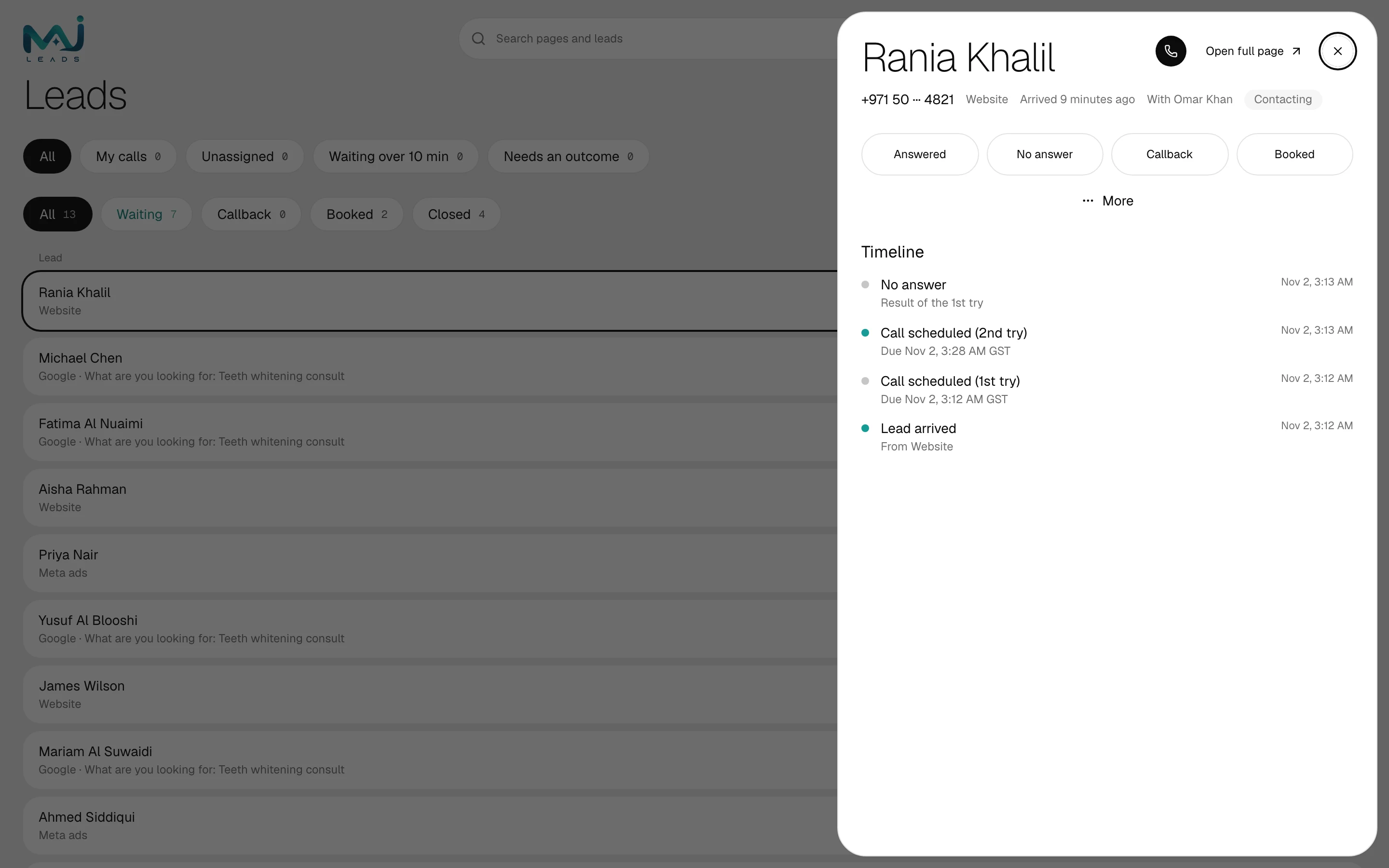
How we tested the speed claim: in our own test run, 10 of 10 test leads from each of three sources (a website form, Meta Lead Ads and a Google lead form) had a first call due within 30 seconds, inside working hours. These were test leads, not customers.
How MAJ Leads runs a lead
The schedule is set by the system; the calls are made by your own people.
Lead lands
A lead arrives from Google, Meta, your website, a CSV or a manual add, is matched on the phone number and starts its five tries immediately.
Call on the rep's phone
The call is due on the assigned rep's Calls list within about thirty seconds, with a push to their phone, and a WhatsApp from your own number once it is connected.
One-tap outcome
The rep calls, then logs Answered, No answer, Callback or Booked in one tap. The next try is scheduled for them.
Reroute, free up or alert
An away rep's call moves to the next rep within about a minute. An untouched call becomes up for grabs at 10 minutes, and the owner is alerted at 20.
Outcome fed back
Outcomes go to your CRM by webhook. Sending them back to Google and Meta starts when sign-up opens.
What each part does
Capture
Every source you pay for lands in one place, once.
- One inbox
- Website snippet, Meta Lead Ads and Google Ads lead forms connect to one Leads list. A lead added by hand or imported from a CSV joins the same list.
- Matched on the phone number
- A person who fills in two forms is one lead, not two, so nobody is chased twice.
- Attribution on every lead
- The campaign, ad and click ID travel with the lead and show under "Where it came from" on its page.
Chase
The follow-up engine. Your reps make the calls; the system makes sure nothing sits.
- Push and WhatsApp alerts
- A push fires when a call is due, and reps can also get it on WhatsApp from your own number once it is connected.
- One-tap call and outcome
- Tapping Call dials the lead from the rep's own phone. Answered, No answer, Callback or Booked is one tap after.
- Your opening hours
- Set open and closed hours for each weekday. Tries are only scheduled inside them, and a lead that arrives outside them gets its first try when you open.
- Round-robin or rules
- Under Who gets each lead in Settings, choose round-robin or your own rules.
- Away and reroute
- A rep marked away has their due calls moved to the next available rep within about a minute.
- The 10 and 20 minute safety net
- Untouched at 10 minutes: up for grabs for any available rep. Untouched at 20: the owner is alerted. No lead dies in someone's pocket.
Compound
What pays back once the chase is running.
- Back to your ads
- When sign-up opens: Booked outcomes sent back to Google Ads and Meta as conversions, so the platforms can learn which leads became customers.
- Outcomes to your CRM
- Outcomes are sent to your CRM by webhook.
- Team performance
- The Team page shows how each rep is doing, and each rep sees their own under My performance.
- Dashboard, Analytics and reports
- The Dashboard shows who is waiting and what fell through. Analytics shows speed to first reply, contact rate, booked rate, cost per qualified lead once you enter your ad spend, and unattended leads. The owner also gets an end-of-day summary at 18:30 and, as it rolls out, a weekly report.
- Your data stays yours
- PDPL-aligned, hosted on Supabase (AWS) with encryption at rest. The workspace owner can export every lead and its history.
Frequently asked questions
Get your team onto every lead, on time
Reserve your Founding 100 spot for free and we message you first when sign-up opens. The 14-day free trial starts then. A card is needed to start. Nothing is charged for 14 days. Step-by-step guides in the app.